
Proxi
/ˈprɒk.si/ — still “proxy”: the y becomes an i.
One switch for the system proxy, your shell’s environment variables, git and npm — plus a built-in mihomo core for subscriptions and rules, LAN sharing, and TUN or gateway mode.
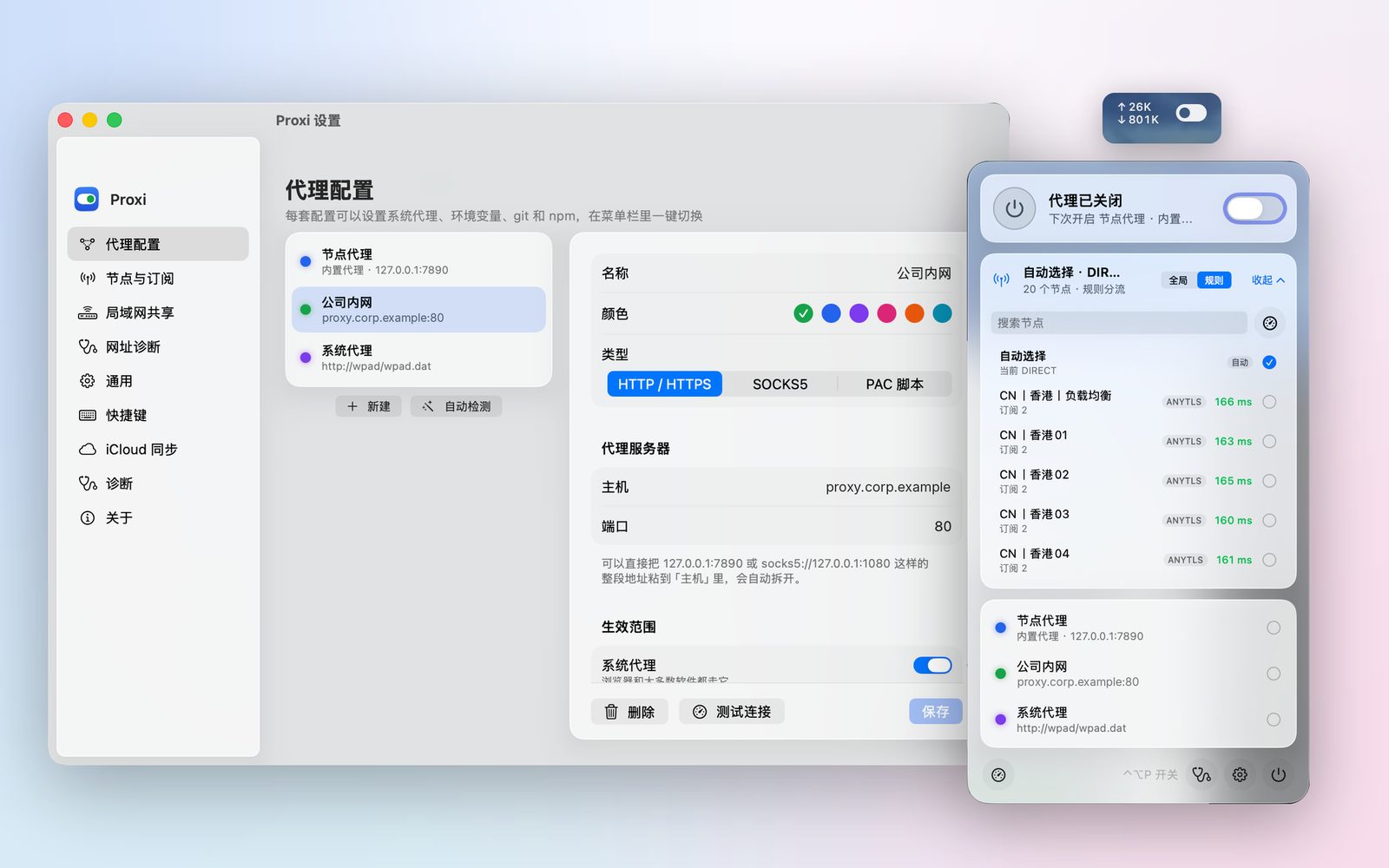
One switch, everywhere
Make a profile — HTTP, SOCKS5 or PAC — and choose where it applies: the system proxy, environment variables for new terminals and apps, git and npm. Switch profiles with one click, or with ⌃⌥P.
- Notices when another app changes the proxy, and can save it as a profile
- Finds proxy apps already running on your Mac and adds them
- Upload and download speed right in the menu bar
Subscriptions and rules, built in
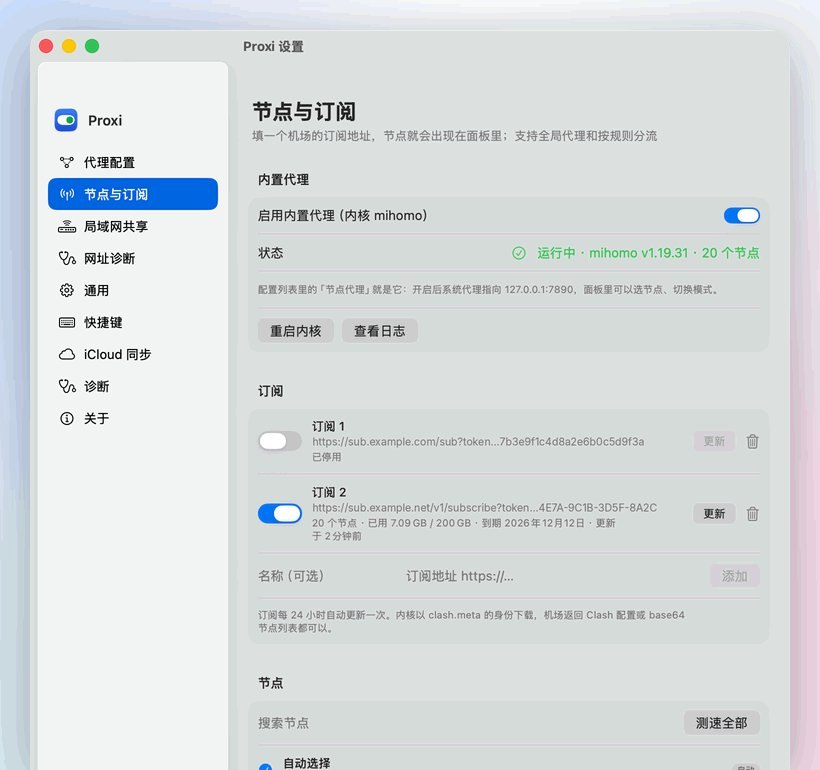
Paste a subscription URL and its nodes appear in the panel. Pick one, let Proxi choose the fastest, and route by rules. The engine is mihomo (Clash Meta), bundled inside the app.
- Policy groups: manual, auto-select, fallback and load balance
- Rule library with blackmatrix7, MetaCubeX, ACL4SSR and Shadowrocket rule sets
- Import Clash, mihomo, Surge, Shadowrocket and Quantumult X configs, with preview and undo
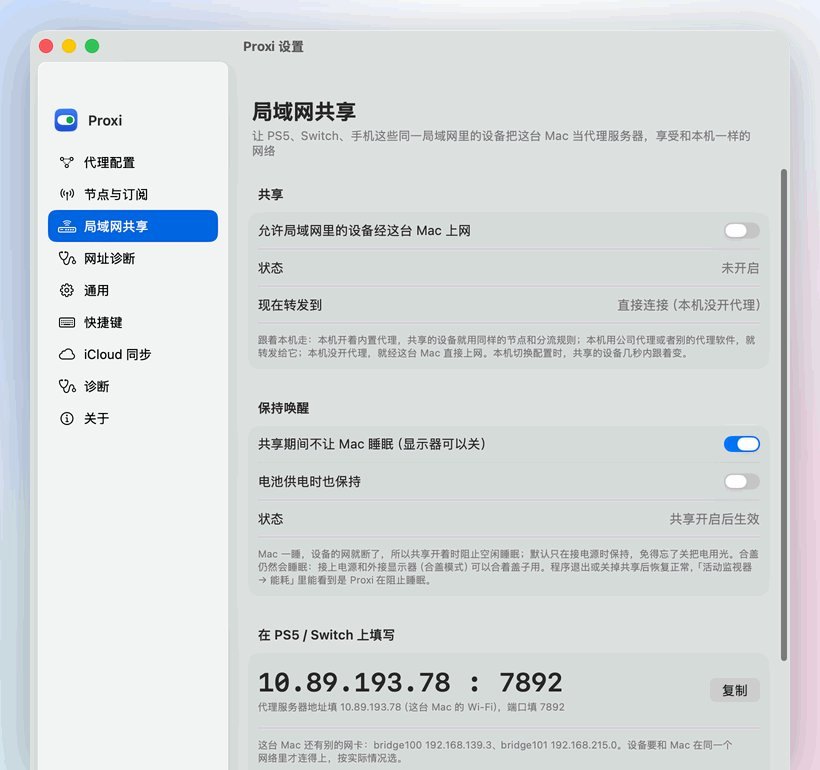
The whole Mac, and your console too
Enhanced mode routes every app — terminals and games included — through the core via a virtual network interface. LAN sharing and gateway mode let a PS5, Switch or phone use the same connection as your Mac.
- LAN sharing on port 7892, limited to local network addresses by default
- Gateway mode for devices that can’t set a proxy, including game UDP traffic
- A small privileged helper, installed once with your password, only for these modes
Scripts, AI assistants and sync
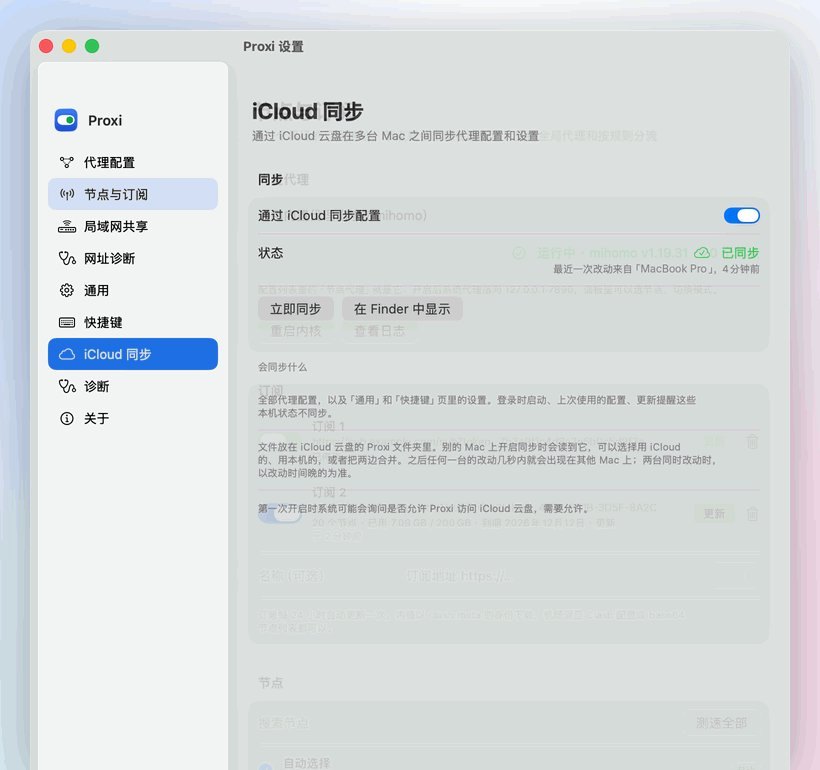
A proxi command-line tool, an MCP server for AI assistants and proxi:// URL commands share one local control interface with four permission levels. Settings sync between Macs through your own iCloud Drive.
- Switch profiles automatically by Wi-Fi network or router
- Imports and automatic switches are recorded in an activity log; imports can be undone
When something doesn’t connect
Connections
Every connection through the core: which app or device, which rule, which node, how much traffic.
Service check
See whether ChatGPT, Claude, Gemini, Netflix, YouTube Premium or Telegram work through a node, and in which region.
URL diagnosis
Enter a site that won’t open; Proxi walks DNS, direct and proxied paths and suggests a fix.
Exit IP
The address and region websites see through your node, and your Mac’s own public address.
Advanced DNS
Encrypted DNS in the core, per-domain servers, hosts, and mihomo config patches checked before saving.
Health checks
Periodically checks the proxy port while it’s on and tells you when it stops answering.
Requirements
- macOS
- 14 Sonoma or later; Liquid Glass on macOS 26
- Mac
- Universal: Apple silicon and Intel (single-architecture builds also available)
- Permissions
- Administrator password to change the system proxy. Privileged helper only for Enhanced and gateway modes. No Accessibility.
- Language
- Simplified Chinese interface
- Download
- About 53 MB universal (
Proxi-macos.zip), about half for-arm64or-x86_64 - License
- GPL-3.0; bundles mihomo (GPL-3.0)
Install and update
- Download
Proxi-macos.zipfrom the latest release and unzip it. - Drag Proxi.app into Applications and double-click it. From 0.11.1 on, releases are signed with a Developer ID and notarized by Apple.
- Click the menu bar icon, add a profile or a subscription, and flip the switch.
Proxi checks GitHub Releases at launch and every 6 hours (you can turn it off). “Update” downloads the build for your chip, compares its SHA-256, replaces Proxi and relaunches. Signed releases only install updates signed by the same developer. Proxi used to be called ProxySwitch; updating from it moves your settings over automatically.
Questions
Is it free?
Yes. Proxi is free and open source under GPL-3.0. It doesn’t sell or provide proxy servers — you bring your own proxy or subscription.
Does it need Accessibility?
No. The global shortcut uses the standard hot-key API. What Proxi does need: an administrator password to change the system proxy, and — only if you use Enhanced or gateway mode — a privileged helper installed once, because a virtual network interface and IP forwarding require root.
What is mihomo?
mihomo (Clash Meta) is an open-source proxy core, also GPL-3.0. Proxi bundles it as a separate program inside the app and runs it only when you use the built-in node proxy, LAN sharing or Enhanced mode.
Is LAN sharing safe?
By default only devices on private LAN ranges (10.x, 172.16–31.x, 192.168.x) may connect, and you can limit it to specific IPs. Turn it off on public Wi-Fi.
Why does it ask for Location?
Only for switching by Wi-Fi network: since macOS 14, reading the Wi-Fi name requires Location permission. Proxi doesn’t read or store your location, and you can switch by router instead.
Is there a Windows version?
Yes, ProxySwitch for Windows. The two evolve separately.
More help: Proxi issues on GitHub · Support · Proxi privacy policy