Stox
/stɒks/ — “stocks”, squeezed into four letters.
China A-share, Hong Kong and US quotes in your menu bar, with holdings and P&L, alerts and iCloud sync. One right-click and only a quiet icon is left.
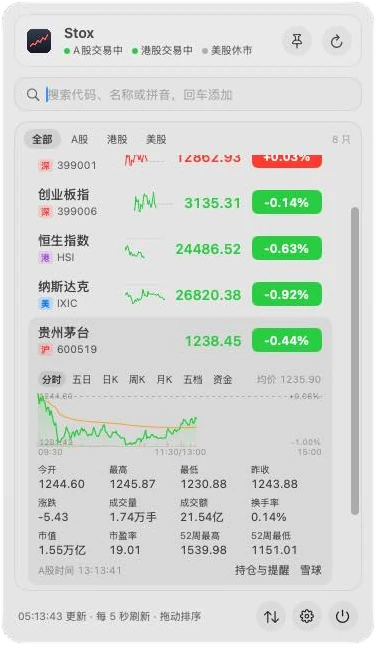
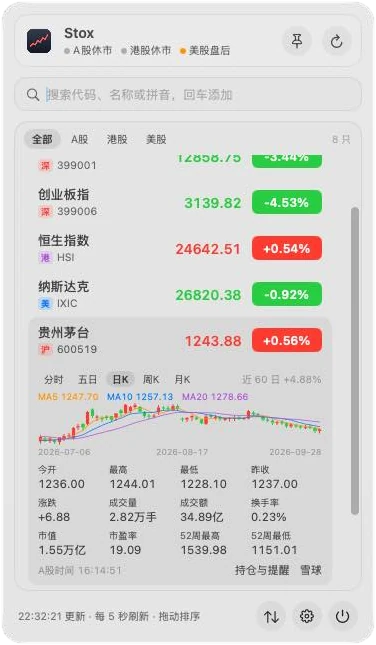
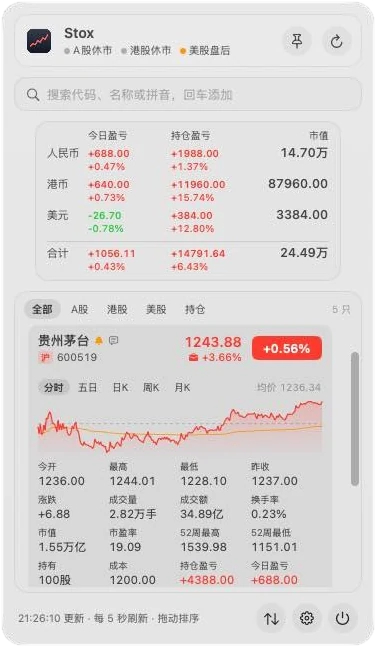
Glance, then hide
Left-click the menu bar icon for a glass panel; click again, click elsewhere or press Esc to close it. Right-click switches the menu bar between showing quotes and showing only an icon — useful when someone is looking over your shoulder.
- Pin chosen tickers to the menu bar, on one line or two, rotating on notched screens
- ⌃⌥S opens the panel from any app; pin it as a floating window
- Red-up, green-up, or no red and green at all
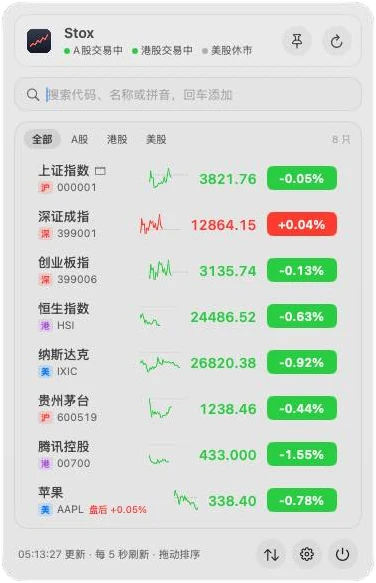
Three markets, and then some
Shanghai, Shenzhen and Beijing A-shares, Hong Kong and US stocks with pre- and after-hours prices, plus indexes, ETFs, mutual funds, international futures and forex.
- Search by code, Chinese name or pinyin initials:
600519,gzmt,aapl - Paste several codes at once to add them together
- Quotes switch to a backup source automatically if the main one fails
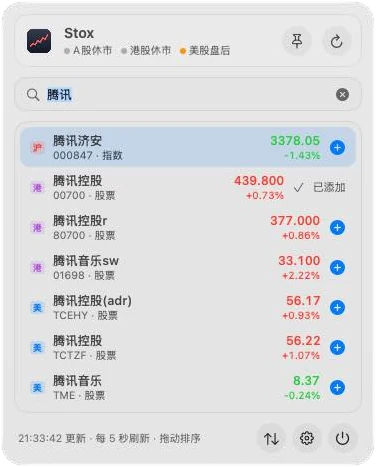
Charts that answer the question
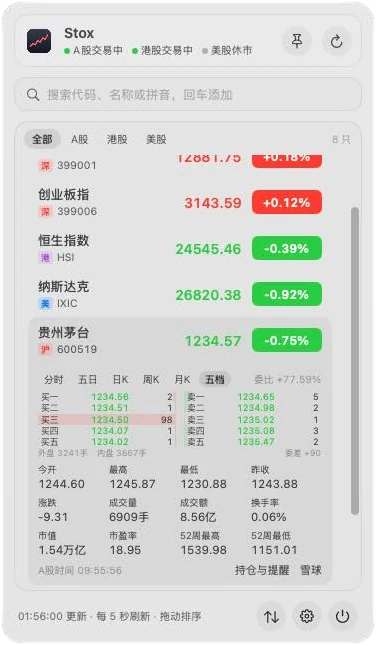
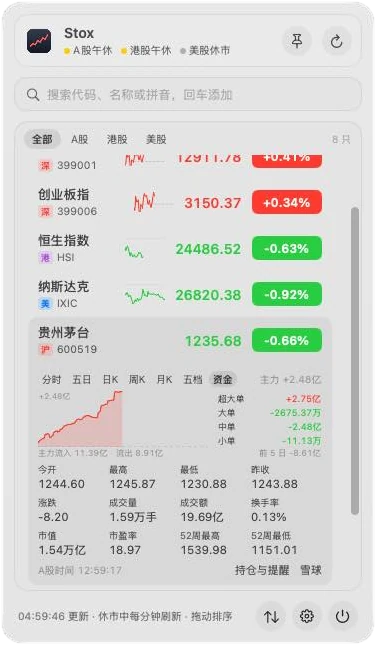
Expand a row for intraday, five-day, daily, weekly and monthly charts with moving averages and volume. Hover for the exact price at any minute. A-shares add the order book and money flow.
- Your cost line on the chart, and B and S marks for recorded trades
- Open, high, low, turnover, P/E, market cap, 52-week range
- An A-share gainers, losers and industry ranking
Holdings and P&L
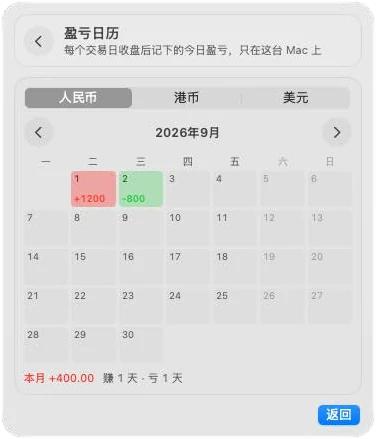
Enter shares and cost, and Stox totals today’s and overall P&L per currency, converted to yuan when you hold several. Log trades and dividends; a calendar shows every day’s result.
- Weighted average cost updates as you buy; sells record realized gains
- Tap the eye to mask amounts in the panel, menu bar and notifications
- Optional closing summary notification
Also inside
Alerts
Price above or below, percentage moves, take-profit and stop-loss, limit up/down, 52-week highs and lows.
iCloud sync
Watchlist, groups, holdings and alerts sync through your own iCloud Drive. Or export a backup file.
Quiet on battery
Refreshes once a minute when markets are closed and stops while the Mac sleeps.
Groups and notes
Group your watchlist and keep a one-line note on why you’re watching a stock.
Copy to spreadsheets
Copy holdings, trades and P&L as tables for Numbers or Excel.
Light
About 30 MB of memory. No sign-up and no API key.
Requirements
- macOS
- 13 Ventura or later; Liquid Glass on macOS 26
- Mac
- Universal: Apple silicon and Intel
- Permissions
- None required. Notifications for alerts; iCloud Drive access only if you turn on sync.
- Language
- Simplified Chinese interface
- Data
- Tencent Finance public quotes, Sina Finance as backup. Hong Kong quotes are delayed about 15 minutes.
- Download
- About 4 MB (
Stox.zip) - License
- GPL-3.0
Install and update
- Download
Stox.zipfrom the latest release and unzip it. - Drag Stox.app into Applications and double-click it. From 0.46.0 on, releases are signed with a Developer ID and notarized by Apple.
- Stox appears only in the menu bar: left-click for the panel, right-click to hide quotes. Settings and Quit are at the bottom of the panel.
Stox checks GitHub Releases at launch and every 6 hours (you can turn it off in About & Updates). When there’s a new version, an Update button appears at the bottom of the panel; Stox verifies the SHA-256 checksum and signature, replaces itself and relaunches, keeping your watchlist and settings.
Questions
Is it free?
Yes. Stox is free and open source under GPL-3.0. Quotes come from free public sources, so there’s no sign-up and no API key. A Mac App Store edition is being prepared; the GitHub version stays free.
Does it need Accessibility?
No. Stox doesn’t ask for Accessibility or Screen Recording. Its global shortcut uses the standard hot-key API, which needs no permission. It only asks to send notifications, for alerts, and to use iCloud Drive if you turn on sync.
Where do the quotes come from?
From Tencent Finance’s public quote service, with Sina Finance as an automatic backup. Hong Kong quotes are delayed about 15 minutes. Data is for reference only and is not investment advice.
Where are my holdings stored?
On your Mac, and in your own iCloud Drive (Stox/sync.json) if you turn on sync. Nothing is sent to me. See the privacy policy.
Can I use it in English?
The interface is in Simplified Chinese for now. Tickers and US symbols work as you’d expect.
More help: Stox issues on GitHub · Support · Stox privacy policy